
|
 |
|
Audio Video Software Downloads
|
Book Tracker
Collector's Edition
Book Tracker Collector's Edition is a freeware program designed to be used by anyone needing to organize their books.
The program is designed to be both easy to use and flexible. The main screen has many of the functions you will use in organizing your book collection. To the left is a list of the books in the library, these can be sorted by author or title. Tabs at the top of this list allow you to look at lists of books by genre such as western, science fiction, non-fiction, romance, etc. A graphic, such as the book's cover, can be included and will be shown just below the book list when the book/author is highlighted or selected. To the right is where data can be entered or edited. All the key information fields on the book selected are displayed. The total number of books is also shown. Most of the features that are included can be customized to your book collection or library. Each field can be renamed to something more specific for your books. Such as tracking a rating or grade level for each book instead of ID# or some other default book field we named. There are also many report options included for printing out and these can be customized as well. Book Tracker allows any number of files for different collections or libraries. Book lists and data can be exported to .csv files for use in other programs. Also, larger text fields are included where notes specific to the author or book can be tracked. A search feature is also included which can be useful for those large book collections. All in all, Book Tracker Collector's Edition is a very feature rich software program that is now offered for free. We hope you enjoy. Be sure to check back often to see if we've made new updates. 
Click on Book Tracker Collector's Edition Screen shot above for full screen view. Book Tracker Collector's Edition 4.0 FEATURES: 1) Reports Several standard report options are available that sort on available book fields. Custom reports are now available which allow you to create a report with the specific field and sorting options that are important to you. 2) Lots of Customizable Fields: Book Tracker Collector's Edition supports several fields all of which are customizable from the default settings. This allows you to tailor the program to your book collection or library needs. 3) Notes and Librarian Sections: The 'Library' section allows you to check out books and keep track of who you've loaned books to and who you've given books and when. The "Notes" section is for you to put any special notes or history about the book including the purchasing history. 4) Help files included: Although Book Tracker Collector's Edition is designed to be intuitive and easy to use, there are help fields included to guide you in using the program. 5) Multiple files: You can create multiple Book Tracker Collector's Edition files for different collections or to create different versions and/or backups of your book data base. 6) Graphic Fields: There is a graphic field that can be linked to any graphic on your computer. This is typically a scan or picture of the cover of the book, but can be anything you want for your collection or library. A thumbnail picture of the graphic or book cover is shown on the main screen allowing you to quickly browse through your books collection and find what you are looking for. 7) Search: You can search your book data base using the “Find” function. This allows you quickly locate books. Screen Shots: 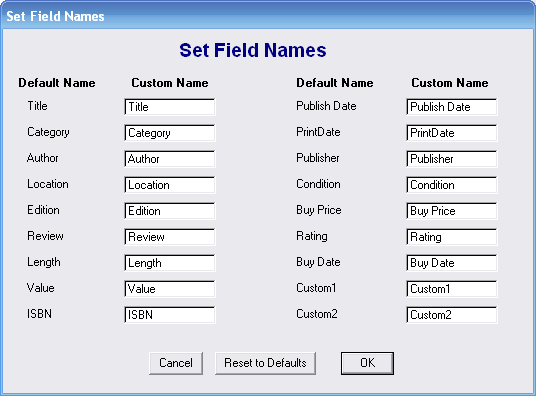
Click on Fields screen shot above for full screen view. 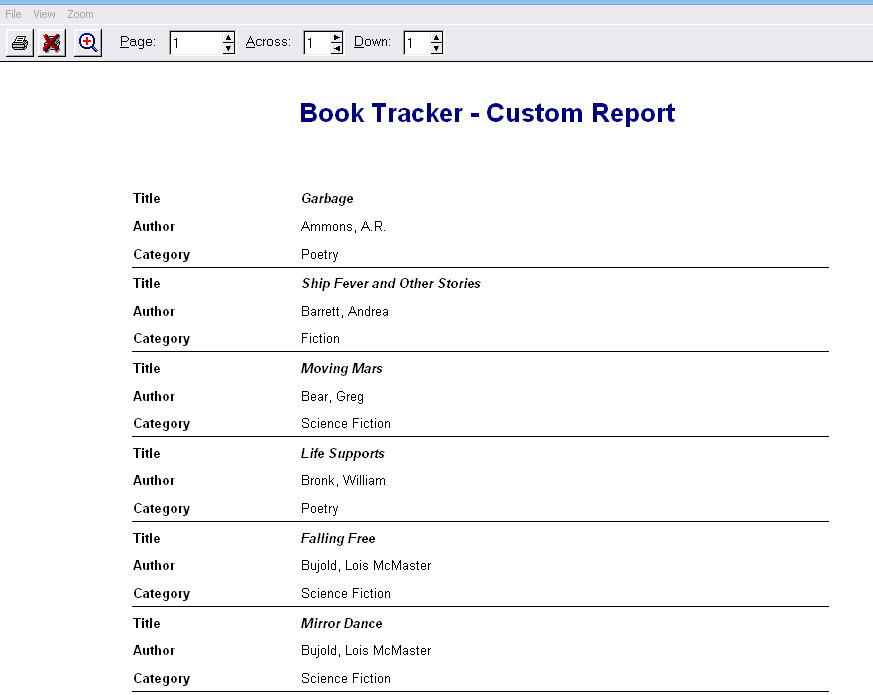
Click on Totals Screen shot above for full screen view. |
|
This site is © Copyright TSI 2014, All Rights Reserved Terms of Use and Privacy Policy
